Why a Professional Website Is Your Most Important Business Investment Right Now
In today's digital-first economy, having a professional website is no longer optional — it's a business necessity. A 2024 study by INDEF (Institute for Development of Economics and Finance) surveying 254 small and medium enterprises (SMEs) in Indonesia found that 88.37 percent of businesses that went digital reported an increase in annual revenue, with 66.28 percent of those seeing revenue growth of up to 50 percent. The message is clear: a digital presence directly translates to business growth.
Yet many business owners feel overwhelmed: Where do I even start? What exactly needs to be prepared? How long will this realistically take?
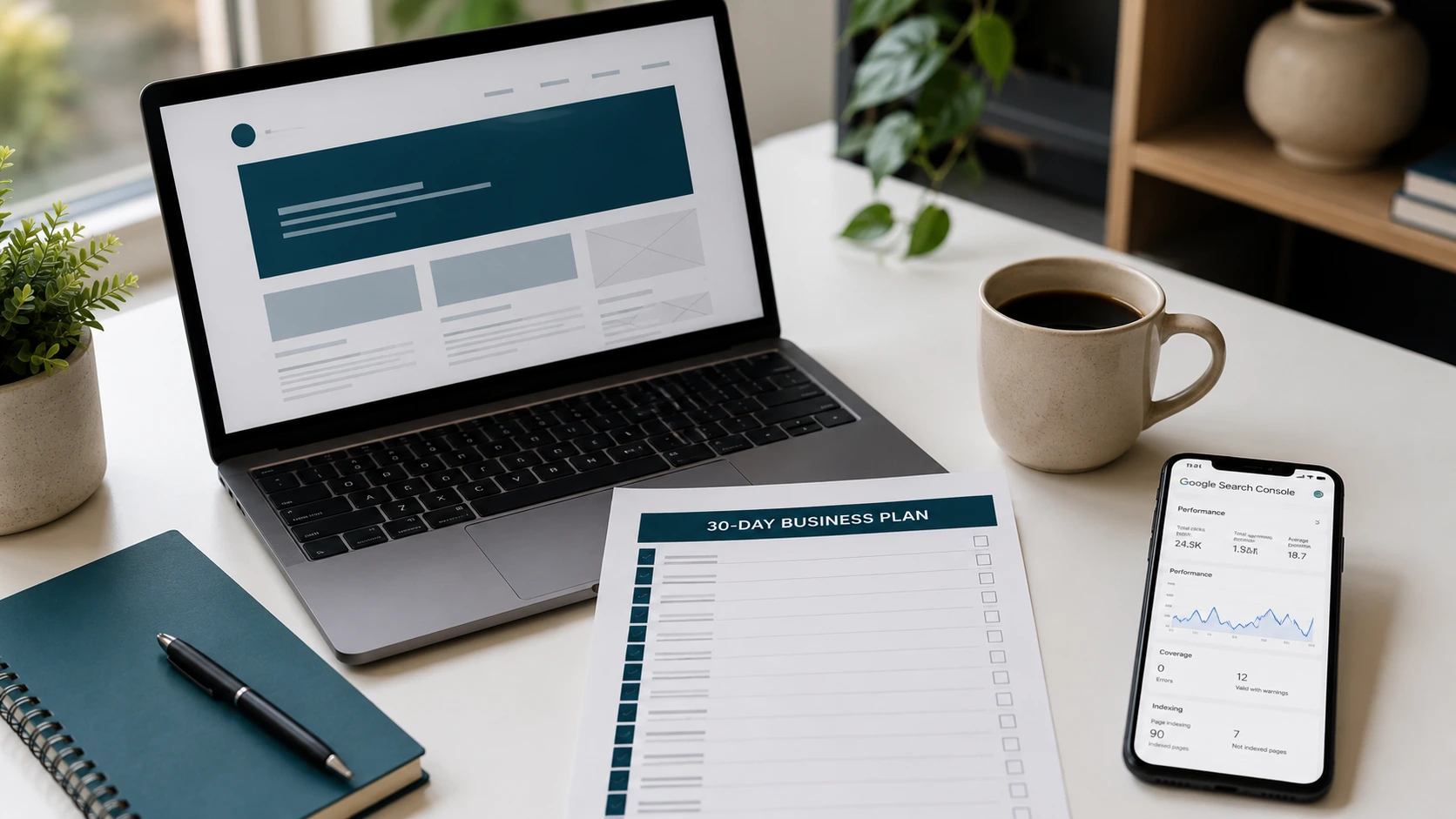
The short answer: 30 days is enough. With proper planning and a reliable partner, your professional business website can go live within a single month. This article is your week-by-week checklist — practical, actionable, and built for real business owners.
Week 1: Preparation — Strong Foundations Start Here
The first week is the most critical phase. Mistakes made here will slow down everything that follows. Your three core priorities this week: domain, design references, and content assets.
Week 1 Checklist
| Task | Notes | Status |
|---|---|---|
| Decide on a domain name | Short, memorable, and relevant to your business | ☐ |
| Register your domain | Use .com or a country-code TLD for higher credibility | ☐ |
| Choose your platform/technology | WordPress, custom CMS, or a website builder | ☐ |
| Collect design references | Save 5–10 competitor or admired websites for inspiration | ☐ |
| Define color palette and fonts | Align with your existing brand identity | ☐ |
| Prepare logo and visual assets | PNG with transparent background, minimum 500×500px | ☐ |
| List all required pages | e.g., Home, About Us, Services, Portfolio, Contact | ☐ |
| Draft initial copy for each page | At least 200 words of copywriting per page | ☐ |
| Gather product/team photos | High-quality images with good lighting and clean backgrounds | ☐ |
Pro Tip: When choosing a domain name, avoid numbers or hyphens that create confusion. A good domain should be easily spelled when spoken aloud. For example, fashionstore2-online.com is far harder to remember than modernfashionstore.com.
When gathering design references, don't just collect websites that look beautiful — pay attention to their navigation and page structure as well. A great website is one that is easy to use, not just visually impressive.
Week 2: Development and Review — Your Website Takes Shape
This week, your development team (or you, if using a website builder) begins constructing the visual layout and page structure. Your role as a business owner is to provide clear, timely, and constructive feedback.
Week 2 Checklist
| Task | Notes | Status |
|---|---|---|
| Kick-off meeting with developer | Clarify all requirements, timeline, and expectations | ☐ |
| Review wireframe / design mockup | Approve page structure before coding begins | ☐ |
| Upload all required assets | Text content, photos, videos, documents, and logo files | ☐ |
| First-round design review | Check color consistency, typography, and layout | ☐ |
| Submit written feedback | Use tools like Loom or a shared Google Doc for revision notes | ☐ |
| Check mobile responsiveness | Ensure the layout looks and functions well on smartphones | ☐ |
| Review Home and About Us pages | These two pages receive the most attention from new visitors | ☐ |
| Verify all contact methods work | WhatsApp links, email addresses, and contact forms | ☐ |
A Critical Note on Mobile: Analysis of 41,000 landing pages by Unbounce reveals that 82.9 percent of website traffic now comes from mobile devices. However, conversion rates on mobile can lag behind desktop if optimization is neglected. This means your website shouldn't just look good on mobile — it must function flawlessly. Buttons should be easy to tap, forms straightforward to fill out, and pages should load quickly.
One key performance benchmark to share with your developer: pages that load in 1 second convert 3x higher than pages that take 5 seconds to load. Set this as a performance target from day one.
Week 3: Testing, Basic SEO, and Google Search Console
A built website is not yet a ready website. Week three is about ensuring everything works correctly and can be found on Google.
Testing Checklist
| Task | Notes | Status |
|---|---|---|
| Check all internal links | No links leading to error pages (404) | ☐ |
| Test contact forms | Send a test message and confirm email notification is received | ☐ |
| Test across multiple browsers | Chrome, Firefox, Safari, and Edge | ☐ |
| Test across multiple devices | Desktop, tablet, and smartphone (Android & iOS) | ☐ |
| Check page speed | Use Google PageSpeed Insights, target score ≥80 | ☐ |
| Proofread all copy | Read through every single page carefully | ☐ |
Basic SEO Checklist
SEO (Search Engine Optimization) is the practice of ensuring your website can be found by potential customers through search engines like Google. Here are the minimum steps every business website must complete:
| Task | Notes | Status |
|---|---|---|
| Set unique Meta Title & Meta Description | Every page needs its own SEO title and description | ☐ |
| Install an SEO plugin (if using WordPress) | Yoast SEO or Rank Math are highly recommended | ☐ |
| Optimize page speed | Compress images, enable caching, use SSD hosting | ☐ |
| Generate an XML sitemap | Helps Google understand your site's structure | ☐ |
| Install SSL certificate (HTTPS) | Websites without SSL are flagged as insecure by Google and browsers | ☐ |
| Write alt text for all images | A short descriptive caption for accessibility and SEO | ☐ |
| Research 5–10 primary keywords | Use Google Keyword Planner or Ubersuggest | ☐ |
Setting Up Google Search Console
Google Search Console (GSC) is a free tool from Google that lets you monitor your website's performance in search results. This is non-negotiable for every business website owner.
Steps to set up GSC:
- Go to search.google.com/search-console and log in with your Google account.
- Click "Add Property" and enter your website URL.
- Verify domain ownership via the HTML tag method or DNS record.
- Submit your XML sitemap (typically found at
yourwebsite.com/sitemap.xml). - Wait 24–48 hours for the first data to populate.
With GSC, you can see which keywords bring visitors to your site, which pages receive the most traffic, and whether there are any technical issues that need addressing — all in one free dashboard.
Week 4: Launch, Monitoring, and Your Ongoing Content Plan
This is the week you've been working toward. But remember — launch does not mean the work is done. It's actually the beginning of a long-term journey.
Pre-Launch Checklist (2–3 Days Before Go Live)
| Task | Notes | Status |
|---|---|---|
| Final review of all pages | Ask 2–3 people outside your team to browse the website | ☐ |
| Confirm automatic backups are active | Configure daily backups in your hosting control panel | ☐ |
| Install Google Analytics | To track visitors, traffic sources, and user behavior | ☐ |
| Set up Google Business Profile | Essential for local businesses to appear on Google Maps | ☐ |
| Prepare social media launch content | Draft 3–5 posts to announce your website launch | ☐ |
Launch Day Checklist
| Task | Notes | Status |
|---|---|---|
| Point domain to hosting server | Confirm DNS propagation is complete (can take 24–48 hours) | ☐ |
| Announce launch on all platforms | WhatsApp, Instagram, Facebook, LinkedIn, email newsletter | ☐ |
| Monitor website uptime | Use a free service like UptimeRobot | ☐ |
| Check Google Search Console | Watch for any new crawl errors that need resolving | ☐ |
Your Ongoing Content Plan: Keeping Your Website Alive
A website without regularly updated content will lose relevance in the eyes of both Google and your visitors. Research compiled by Genesys Growth (2026) found that businesses with 40 or more landing pages generate 500 percent more conversions than those with only a handful of static pages. In other words, a content-rich website creates compounding business value over time.
Here is a recommended minimum content cadence:
| Content Type | Frequency | Purpose |
|---|---|---|
| Blog articles | 2–4 per month | Long-term SEO, educating potential customers |
| Services/products updates | As needed | Keeping information accurate and current |
| Customer testimonials | 1–2 per month | Building trust and social proof |
| New photos/videos | 1 per week | Visual content for social media and website |
| Broken link check | Once per month | Maintaining technical quality |
Why Testimonials Matter More Than You Think: Conversion data from Genesys Growth (2026) shows that displaying customer testimonials can increase conversions by up to 34 percent, and that 92 percent of consumers read reviews or testimonials before making a purchase decision. Make it a habit to regularly ask satisfied customers for testimonials and feature them prominently on your website.
Common Hurdles Business Owners Face
Based on experience working with many business owners, these are the most frequent roadblocks:
1. Overthinking the content preparation stage. Many owners delay indefinitely because their content doesn't feel "perfect yet." The solution: start with content that is good enough, not perfect. A website can always be updated and improved.
2. Not investing in quality photography. Blurry, poorly lit, or unprofessional product or team photos will immediately undermine your first impression. Invest time in quality images, or hire a professional photographer for a single shoot.
3. Neglecting mobile optimization. With over 82 percent of traffic originating from mobile devices, a non-responsive website is effectively turning away the majority of your potential visitors.
4. No plan for post-launch activity. Launching a website without a follow-up content strategy is like opening a store and never changing the window display. A website requires ongoing care and attention.
Take Action Today: Free Consultation with katili.dev
Now you know the exact steps. The only thing left is to take action. If you'd feel more confident with an experienced professional team by your side, katili.dev is ready to guide you from zero to a fully live business website.
Our services cover everything: requirements consultation, design, development, basic SEO setup, and content management guidance — all in a transparent, affordable package.
💬 Consult your business website needs for free today at katili.dev. There's no commitment required — we simply want to understand your business and provide the best recommendation for you.
Don't let your business fall behind. When 88 percent of SMEs that embraced digitalization saw their revenue grow, it's time for you to become part of that success story.
References
- Portal Informasi Indonesia. Digitalisasi Dorong Ekonomi Inklusif Usaha Wong Cilik. indonesia.go.id. https://indonesia.go.id/kategori/editorial/8834/digitalisasi-dorong-ekonomi-inklusif-usaha-wong-cilik
- INDEF — Izzudin Al Farras. Hasil Studi INDEF: Peran Platform Digital Terhadap Pengembangan UMKM di Indonesia (2024). https://indef.or.id/wp-content/uploads/2024/01/Izzudin-Al-Farras-INDEF-Hasil-Studi-INDEF-Peran-Platform-Digital-Terhadap-Pengembangan-UMKM-di-Indonesia.pdf
- Genesys Growth — Matteo Tittarelli. Landing Page Conversion Rates — 40 Statistics Every Marketing Leader Should Know in 2026. https://genesysgrowth.com/blog/landing-page-conversion-stats-for-marketing-leaders